The learning modules listed here are intended to assist with lesson planning. However, they should not be treated as templates to be copied verbatim, but rather as suggestions that must be adapted to the specific class and teaching context. Please also have a look at the music didactics and the overall training program concept.
The learning modules on songwriting with AI are structured into five sections:
As the graphic below shows, a song and, accordingly, the songwriting process consist of various components. Therefore, there is no ONE way to write a song. Rather, you can start with any component and go anywhere. However, it is important to:
-
Work in groups.
-
Decide for yourselves how you want to use AI. It's not about using the suggested AI tools at every step. Think of AI more as a potential helper, partner and source of ideas for...
- Developing song parts: here you can come up with parts entirely on your own, expand your own ideas with AI, or further develop AI ideas yourself.
- Arranging, instrumenting and making music: you can choose to play instruments and sing live, or combine live instrumental playing with AI-generated elements.
- Workshop concert: you can perform your song live, play a production from the DAW, or play or sing live to pre-produced parts.
-
Present your song (or part of it) in the workshop concert.
-
Need help? The links below will take you to lots of tips and tricks!
Tips and tricks on Songwriting with AI
 Tone Transfer
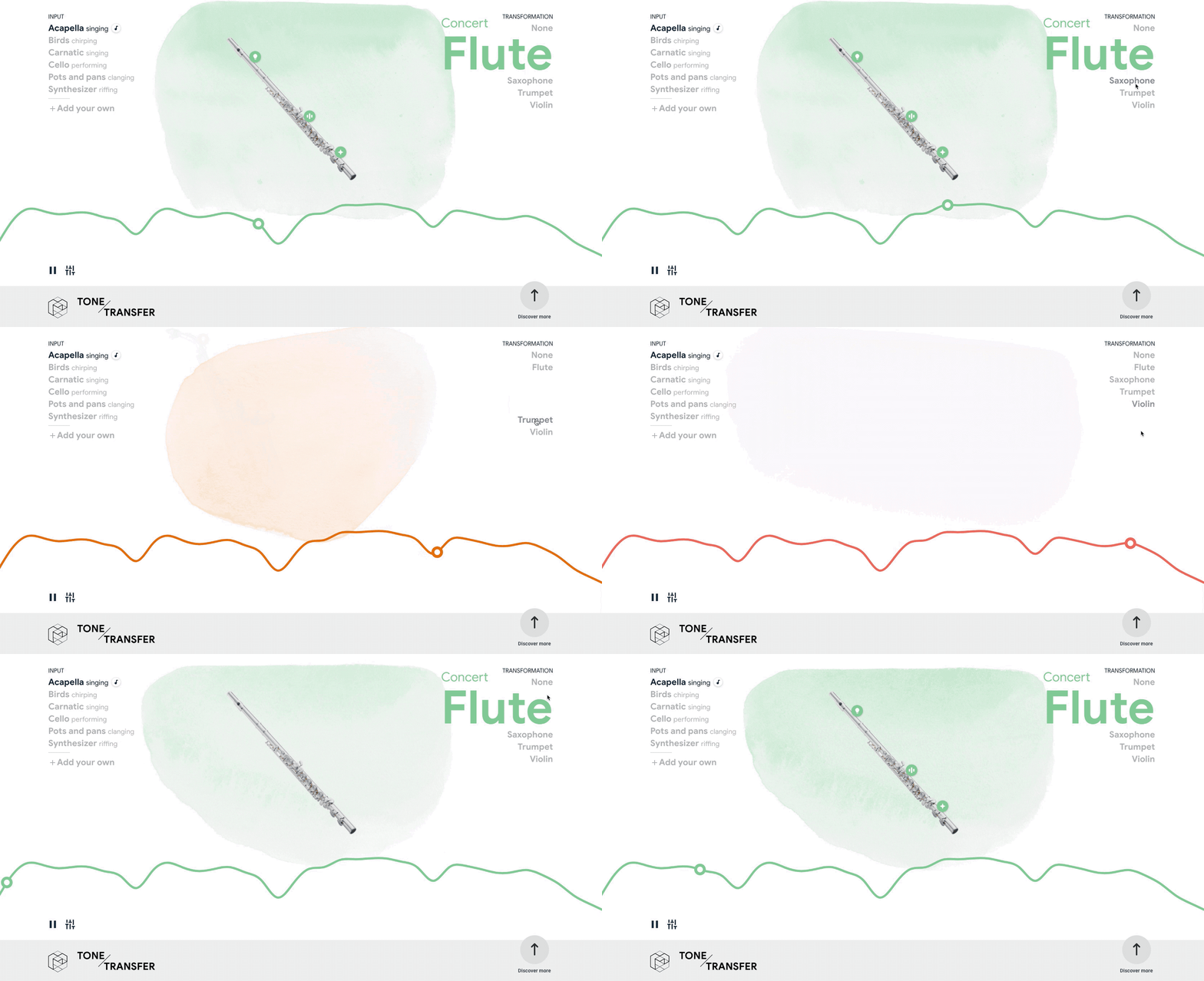
This AI application (unfortunately does not work on iPad) is all about changing timbres. Artificial intelligence is used to recognise certain sounds and instrumental timbres, enabling a smooth transition between completely different timbres. For example, the sound of a trombone can be mixed with a dog barking. The platform also allows you to record your own sounds via the internal microphone for further experimentation. Here, too, you can continue working locally with an exported file.
Google Instrument Playground
Google Instrument Playground is an AI-based experiment by Google Arts & Culture that allows you to create and compose music using over 100 instruments from around the world. The web application was developed in December 2023 at the Google Arts & Culture Lab.
Chosing an image as a theme
Work out a theme with the song idea generator
Let Song ideas generator suggest a theme for you. Change individual words until you like the theme.
Thinking with ChatGPT
Let ChatGPT or another language-generating AI of your choice suggest a song theme and/or genre. If necessary, engage in dialogue with the AI until you have decided on a theme.
Using the Music Map to find genres
Using the Music-Map, discuss which (sub-)genre would be interesting for your song. You can zoom in to see more subgenres and click on the names to get more information and listening suggestions.
Exploring the themes and genres of your favorite songs
Name your favorite songs and compare them: Are there similar themes and genres that appear in all the songs? Is there a song whose theme and/or genre is completely different? Would it be interesting to write about one of the themes in a completely different way (e.g., in another genre, with a different mood, from the perspective of a character or object mentioned in the song, or from a different point in time)? Or could you write a continuation of a song -like a Part 2 in a movie?
Searching for a key by playing
Play a major or minor chord on the piano or guitar and discuss your closing line. Determine the mode (major/minor). Then set the key. Learn about the primary functions (see triad functions) and choose a progression.
Generating chords with ChatGPT
Have ChatGPT generate chords for your lyrics. Adapt the bolded parts of the following prompt to suit your needs:
Generate chords for the following song lyrics. [lyrics] The genre is [singer-songwriter/hip-hop]. Use**[Basic chords / extended chords / jazz chords]**.
Which chord goes in which measure?
Mark the syllables in your lyrics that fall on the first beat of each measure. Place a chord on each first beat (including in measures without text).
Generating chords with Melodea
Click on the button "Try for free". Have melodies and chord progressions generated based on “mood, tempo, and BPM.” Improvise with your lyrics over the generated music. If needed, export in MP3 / MIDI / WAV / text format.
Modify the chords of your favorite song
Enter the name of your favorite song followed by “Chords” on Google to find a lead sheet with lyrics and chords (e.g., from Ultimate Guitar). Agree on a section that you particularly like. Play the chords of that section. Then, for example, change the order of the chords or replace one or more chords with others that fit your key.
Reinvent chords based on elements of your favorite song
Use a program to split your favorite song into stems (i.e., individual tracks), for example StemRoller. If you particularly like the bass line, import the bass stem into GarageBand and loop 4–8 bars of it. Ask your teacher for help in determining the key if needed. Then experiment by trying different chords from that key over the bass line.
Circle Writing
Starting from an opening sentence, each person takes turns writing a follow-up sentence. The only rule is that you may not contradict the previous sentence.
Destination Writing
If there are already clear ideas about the theme or song, you can choose a location or goal from the song. Then, in a few minutes, describe the place or express the feelings that the details of this location or goal evoke.
Point of View Writing
Here, you change the point of view of the narrative, for example by letting the location of the song “speak.” This can give the lyrical self a home. Again, the goal is to describe the feelings of the place or of the person within it.
Imitate your favourite song
Agree on a short passage from your favorite song (about 2 lines). Then discuss why you like these lines so much, for example using the following questions: How long or short are they? Are they, for example, phrased as questions, commands, descriptions, colloquial expressions, or short exclamations? Are there repetitions? Are special metaphors used? Once you have identified what makes these lines distinctive, apply this “recipe” to write your own lines in the same style.
Generating lyrics with AI
Using a text-generating AI, you can create a new text or rewrite/expand an existing one, for example to include specific song sections like verse, pre-chorus, or chorus. Examples of text-generating AIs include ChatGPT (OpenAI), These Lyrics do not exist, LyricAI, Fobizz.
Write lyrics based on an AI-generated image
If you have generated an image related to your theme, create a song text by describing the image. In each song section, you can represent a different part or aspect of the image, for example: the overall mood in the chorus, specific details in the verses, and questions raised by the image in the pre-chorus.
Translation of a text using AI
Using translation AIs, you can, for example, translate your text from German into English. You can use, for example, DeepL.
Correcting a text using AI
Using an AI writing assistant, you can correct your text or have it rewritten in a specific tone, for example to make it sound enthusiastic. An example of a writing assistant is DeepL Write.
Rhyming
Further information on rhyming and links to online rhyme tools can be found here. !!ACHTUNG: WEBSITE AUF DEUTSCH
Starting from the song lyrics
If you already have a song text, speak it rhythmically using a metronome, so that the text remains understandable. Where is the strong beat in the measure? Mark it in your lyrics and then decide on the time signature. Adjust the number of beats on the metronome if needed.
Have the rhythm generated by the AI
Have ChatGPT generate a rhythm for your lyrics in 4/4 time. Use the following prompt and, if needed, modify the bolded parts:
Generate a rhythm to the following song lyrics. [lyrics] The genre is [singer-songwriter/hip-hop]. Create a table with 2 rows and 9 columns. The columns in the top row represent the beats and are labeled: Beat, 1, &, 2, &, 3, &, 4, &. In the first column of the second row, write Text. Enter the lyrics in the second row. Divide the words so that each syllable is placed in the column corresponding to the beat on which it should sound. Include rests as well.
 Online Drumsequencer in browser --> Drumha.us
To experiment directly with a drum sampler, a browser app that requires no installation or sign-up, such as “Drumhaus,” is recommended.
Generating beats online
To quickly generate a groove and customize it yourself, the interactive interface with free download options at gogulilango.com is recommended.
Invent a groove for a section of an existing song
Use a program to split your favorite song into stems (i.e., individual tracks), for example StemRoller. Import one or more stems (not the drums!) into GarageBand and loop 4–8 bars that you particularly like. Then develop a groove using your voice or the drum pad. You can, for example, start with the original groove of the song and gradually modify it until you create your own new groove.
Sources & further literature
- Lamberts-Piel, C. (2022). *Songwriting: EinFach Musik.*Westermann Bildungsmedien.
- Walter, A. (n. d.). Song stripe. Retrieved from https://lfb-bw.taskcards.app/#/board/72b1f965-30e0-409e-a491-1cd09db9aa38/view?token=af6fcdef-4ddc-4ff6-864f-e3d74d585b8a
Sources & further reading
- Godau, M., Weidner, V., & Hermann, K. (2025). (Post-)digital songwriting practices in music education. In G. Brunner, D. Fiedler, & S. Schmid (Eds.), What kind of music education does lower secondary school need? Conceptual and subject-specific contributions to a future-oriented music education (pp. 172–187). OPUS-PHFR.https://doi.org/10.60530/opus-3398

License: The logos shown are excluded from the CC-BY-SA-4.0 license.
These materials were developed by the Freiburg University of Music and the Freiburg University of Education in cooperation with continuing education instructors from the ZSL Freiburg. They are part of the KuMuS-ProNeD project.
The development and production of these materials are funded by the European Union—NextGenerationEU—and supported by the Federal Ministry of Education, Family, Senior Citizens, Women, and Youth. For more information, visit lernen.digital. The views and opinions expressed are solely those of the authors and do not necessarily reflect the views of the European Union, the European Commission, or the Federal Ministry of Education, Family, Senior Citizens, Women, and Youth. Neither the European Union, the European Commission, nor the Federal Ministry of Education, Family, Senior Citizens, Women, and Youth can be held responsible for the content.
The logos shown are exempt from the CC-BY-SA-4.0 license.